Automated item removal for real estate photos. Declutter an interior in minutes. Everything that isn’t clutter is still your pixels, not AI slop.

Drag & drop your photos here, or

Pick the interiors, or a whole folder. Interiors only.

Coco
Falco
Garth
How it works

Review

They look really good. The AI that you're using makes it look really crisp, clear, and definitely brighter than it originally is. But then again it's not totally changed around so I dont feel like it's lying to anyone. It's very true to the form, what the house is, but yeah it looks a little more organized than the reality.

Kyle · real estate agent

Do the whole shoot at once

No selecting, no lassoing, no masking by hand. It finds the clutter itself, in every photo.

30 photosa whole shoot
Under 10 minutesstart to finish
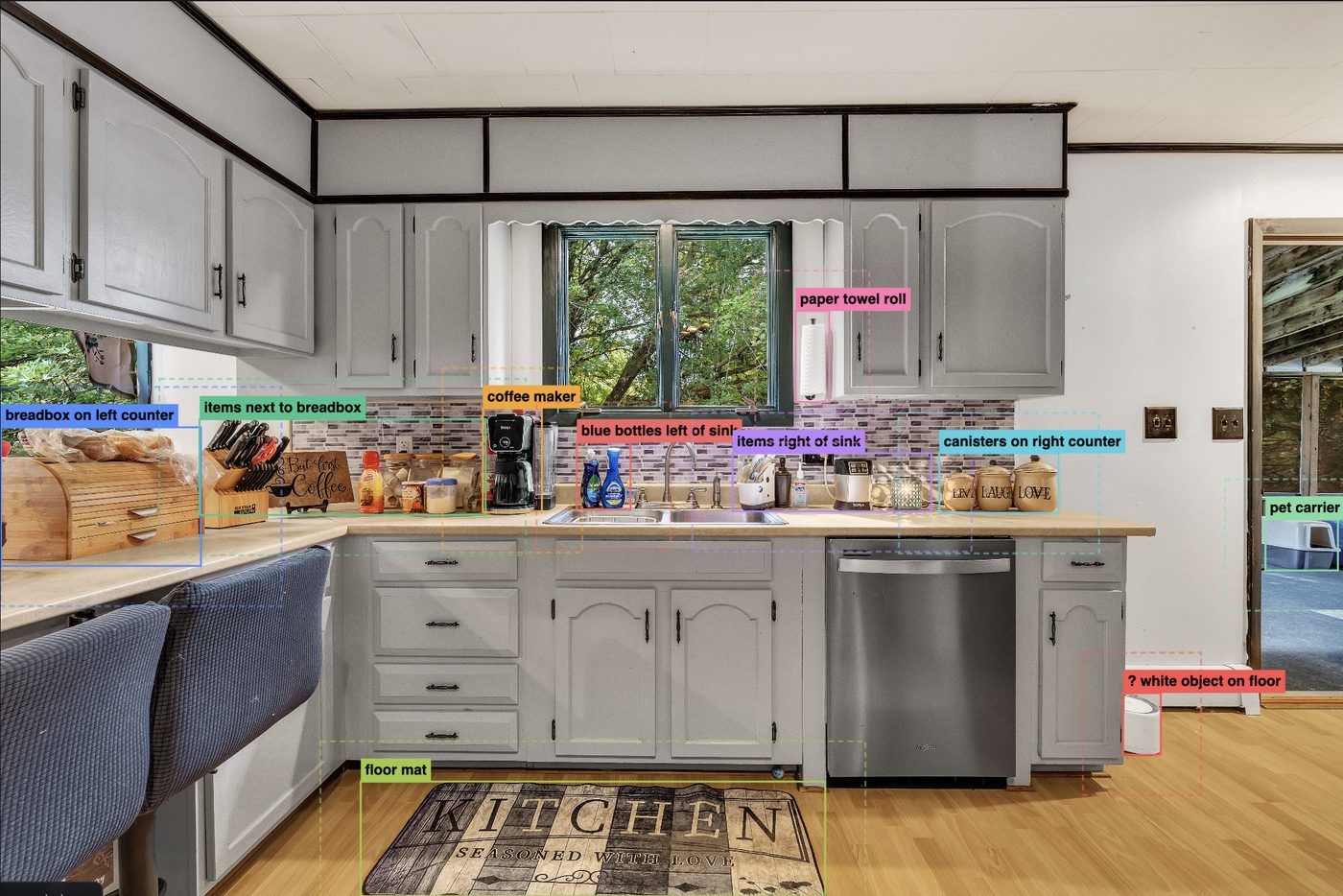
A kitchen with every piece of clutter outlined and labelled: coffee maker, blue bottles left of sink, canisters, paper towel roll, floor mat.
1Every item found and named, before anything changes
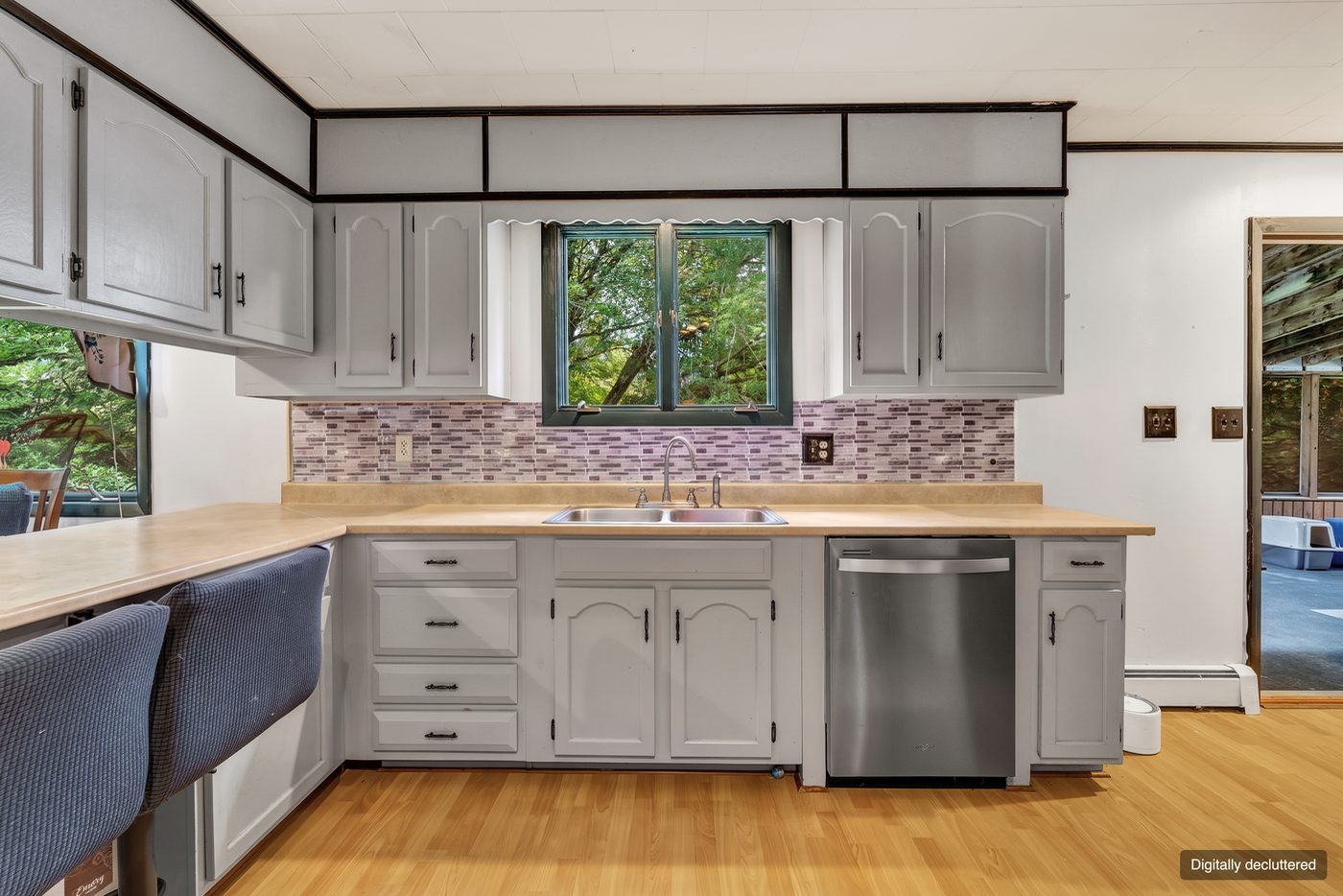
The same kitchen with the clutter gone. The cabinets, the tiled backsplash, the window and the floor are unchanged.
2One press of the auto brush button, and the clutter is gone
  1. 1 It finds the clutter for you

    Each photo is looked at before anything is changed. Whatever does not belong in the room is found and named for you: the vacuum, the boxes in the corner, the pile on the sofa. You point at none of it.

  2. 2 You press Submit

    Choose how much comes out first: Coco takes the obvious mess, Falco also takes furniture that does not belong, Garth clears the room. Press Submit and a clean plate is made for every photo in the shoot.

  3. 3 Auto brush, then deliver

    One press clears everything the detection found. The plate sits under your original, so you are erasing down to it and anything left alone is your photograph, untouched. Take the brush back where you disagree, or render that photo again as a different character, then deliver the folder.

    Tips on getting the best results →

Why it does not look edited

Most AI tools hand you a new picture. We hand you yours.

The model paints an empty version of the room and that plate sits underneath your original. You brush away only the parts covering the clutter, so the lens character, the noise, the light and the lines of the room are the ones your camera recorded.

80–90% of a delivered photograph is original camera pixels.

Try it drag across the counter, or press auto brush

What you can charge for it

Agents already pay for decluttering. This is what is left after you have done it.

You bill the agent $4.00 a photo

$120.00you invoice, 30 photos
$6.00it costs you
$114.00you keep

The money is not really in the line item

Ten or fifteen dollars a shoot is what the sliders can measure. It is not why this is worth having.

A decluttered listing gets clicked on. The agent who sent you that house watches it get saved and shared and booked, and they do not work out that it was the photographs. They work out that listings look better when you shoot them. That is the whole thing. It is why they call you for the next one, why they stop asking what you charge, and why they tell the other agent in their office.

So the return is more clients, happier clients, and clients who stay. One agent who keeps coming back is worth more than every uplift on this page put together, and a referral costs you nothing at all. The line item is just how it pays for itself on the way.

One credit, one photo

A look at it and a clean plate made. 4K uses two, because it costs us twice as much. Credits reset monthly, and you can cancel from your account page whenever you like.

No card to start. Your files are deleted after seven days and are never used to train a model — what we do with them.

INSTABRUSH
Stays in this browser. Never leaves except to fal.ai.
Same Nano Banana Pro, about 40% cheaper — $0.09 at 2K against $0.15. A different kind of API, so anything it cannot do falls through to fal automatically and the row says why.
Choose the folder of originals…

Removes

Never touches

These are tuned. Changing them is not recommended. Each of the three has been worked out against a lot of real shoots, and the wording is more load-bearing than it looks — a rule that reads as redundant is often the one stopping the model repainting a floor or moving a window. Edits here change every photo you render from now on, not just the next one.
See the assembled prompt

        
The three-line output format is added automatically and can\u2019t be edited, so nothing you write above can break the pipeline.
One rule per line, as room: what to remove. Write it as a phrase that finishes the sentence “Remove these items from the image: …”, not as its own instruction. It joins the list only when the detected room matches, so a kitchen line never reaches a bedroom. A line starting with # is ignored. Matching is loose, so “bath” catches bathroom.
See the assembled prompt

      
“Match” measures each photo and sends the closest supported ratio, which keeps the clean plate from drifting out of alignment with your original.
Above about 6 the browser queues the rest — it allows six connections to one address, whoever is on the other end. kie.ai itself takes 120 submissions a minute and runs 100+ at once, so the ceiling here is the browser, not the service.
Any photo with something to remove gets rendered.
Waiting for a key and a folder.
Save them to their own folder, then load originals + clean plates into the brush tool.
PhotoFileDetected clutter StatusResult